Mobizen Screen Recorder download for android 10 (Quince Tart)
APK file Mobizen compatible with Android 10How to install APK / APKS / OBB file on Android
Last checked date: October 16, 2026
Short info
In general apk file Mobizen Screen Recorder has rating is 8.7 from 10. This is cumulative rating, most best apps on google play store have rating 8 from 10. Total reviews in google play store 3027073. Total number of five star reviews received 2219904. This app has been rated like bad by 354050 number of users. Estimated number of downloads range between 100,000,000+ downloads in google play store Mobizen Screen Recorder located in category Productivity, with tags and has been developed by MOBIZEN. You can visit their website http://support.mobizen.com/ or send support@mobizen.zendesk.com to them. Mobizen Screen Recorder can be installed on android devices with 4.4(Kitkat)+. We provide only original apk files. If any of materials on this site violates your rights, report us You could also download apk of Google and run it using android emulators such as big nox app player, bluestacks and koplayer. You could also download apk of Mobizen Screen Recorder and run it on android emulators like bluestacks or koplayer. Versions of Mobizen Screen Recorder apk available on our site: 3.11.2.5, 3.11.1.3, 3.10.17.5, 3.10.17.4, 3.10.17.3 and others. Last version of Mobizen Screen Recorder is 3.11.2.5 was uploaded 2026/02/07
Screenshots of Mobizen Screen Recorder
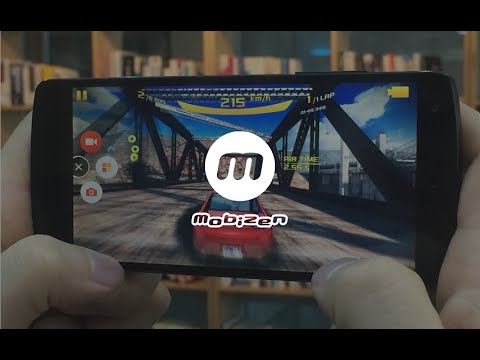

Description of Mobizen Screen Recorder (from google play)
The Screen Recorder you were looking for
▶ The “Best of 2016 Apps” selected by Google.
▶ Screen recorder selected by global 200 million users.
▶ Featured in Google Play.
----- Featured in many countries such as Korea, USA, Europe, Japan, North and South America
▶ Screen recording, capture, and editing functions are free.
▶ The video recorded with the Mobizen app is not saved on the server, only on the user device, so use it with confidence!
▶ Use it immediately without signing up (login).
▶ Meet Auto Tap and screen recording on Mobizen!
Download Mobizen Screen Recorder, which can start recording easily with one click, and start recording gameplay, video, and live broadcasting easily and conveniently!
Do you want your first screen recording to be perfect?
ㆍClean screen recording without a record button through Hide Air Circle mode!
ㆍRecord the screen without watermark for free using Clean mode!
ㆍNot only FULL HD (FHD) screen recording, but also QUAD HD (QHD, 2K) screen recording! Supported maximum recording quality ▷ Recording resolution 1440P, recording quality 24.0Mbps, frame rate 60fps
ㆍFacecam function! Express your reactions freely and record game sounds and voices together!
ㆍSave to external memory (SD card)! Record long screen recordings of more than an hour without worrying about memory!
ㆍVarious image editing functions
Increase the quality of the recorded video!
Only in Mobizen
ㆍProvide Auto Tap and Auto Swiping functions!
ㆍHighlight important points through the drawing function!
ㆍCreate your own watermark!
ㆍCreate a GIF and create a fun meme!
ㆍChoose the type of Air Circle! (mini type, time bar type, transparent type)
Mobizen Recorder adopts AccessibilityService API to enable the core features Auto Tap and Auto Swiping.
1. Why is AccessibilityService API required?
▶ The AccessibilityService API allows to perform features such as Auto Tap and Auto Swiping.
2. Do you collect and/or transmit any personal data using AccessibilityService?
▶ No, we do not collect and/or transmit any personal data using AccessibilityService API.
Download it now and try it!
=====
ㆍHelpdesk: support.mobizen.com
ㆍYoutube channel: youtube.com/mobizenapp
Do you have any unnatural sounding text while using the Mobizen app?
ㆍSuggest a language☞ https://goo.gl/forms/pHGNRoD7nvalOU5l1
※ App access rights
ㆍRequired access rights
Storage: Used for saving and editing recorded video & image files.
ㆍOptional access rights
- Camera: Used for Facecam settings and Air Circle custom when recording screens.
- Microphone: Used for sound recording function during screen recording.
- Draw on top of other apps: To open Mobizen's Air Circle, you need to grant permission to draw on top of other apps.
- Notification: Used for top notification bar and some other functions from Mobizen.
* Please note that you can use the app even if you do not agree to the optional access rights.
* From Android OS 6.0 or higher, you can set and revoke access rights.
* If you are using Android OS version less than 6.0, you can modify the permissions after updating the software.
----
Version history Mobizen Screen Recorder
New in Mobizen 3.11.2.5
? View your smartphone screen on TV and PC in real time!A new mirroring feature has been added, allowing you to view your smartphone screen on a TV or PC web browser in real time.
✨ Improvements
* Improved overall app stability.
* Enhanced compatibility with Android 8.0 devices.
Advertisement
Please rate this app
More info
- LicenseFree
- File nameMobizen
- File Version3.11.2.5
- Package namecom.rsupport.mvagent
- Size98.42 MB
- UploadedJuly 2, 2026
- Android6.0 or later
- CategoryProductivity
- DeveloperMOBIZEN
- Developer site
- Developer emailsupport@mobizen.zendesk.com
- md5 hash1306136d81572c472ba1b395d124be7d
- Architecturearm64-v8a armeabi-v7a x86_64 x86
- Permissionsshow (34)